GitHub is an essential tool in the world of programming and software development, although its usefulness is not limited to software engineers. This platform has gained immense popularity for its ability to facilitate project collaboration, version control and efficient code and file management. In this blog, we explain what GitHub is, why it's so popular and how you can get started using it.
GitHub is a cloud-based platform that allows developers to manage projects using a version control system called Git. It facilitates collaboration between multiple people, even if they are working remotely, by allowing you to keep a detailed record of changes made to a project's files. This is crucial when several developers are working simultaneously, as they can make changes without interfering with each other's work.
Version control is a system that allows you to track changes made to files over time. It is especially useful for developers, who constantly modify the source code of a project. If a mistake is made, you can revert to a previous version of the file without losing the previous changes. Version control allows multiple collaborators to work on different parts of a project without affecting the code base until changes are reviewed and approved.
Git is a distributed version control system that allows developers to work on different branches of the project independently. This means that each contributor has a local copy of the project, where they can make changes without affecting the original code until those changes are approved. Git allows the creation of “branches” where new features can be developed without risking the stability of the main version.
Git is very efficient because it distributes responsibility for version control among all team members, and is the foundation that makes GitHub work.
GitHub is not only a code storage platform, but also a tool that facilitates collaboration and project tracking. One of the reasons it is so popular is its ease of use and intuitive graphical interface that allows users to take advantage of Git's functionality without having to use the command line.
Getting started with GitHub is a simple process, even if you have no previous experience with the platform or version control systems. Here are the basic steps to get you started:
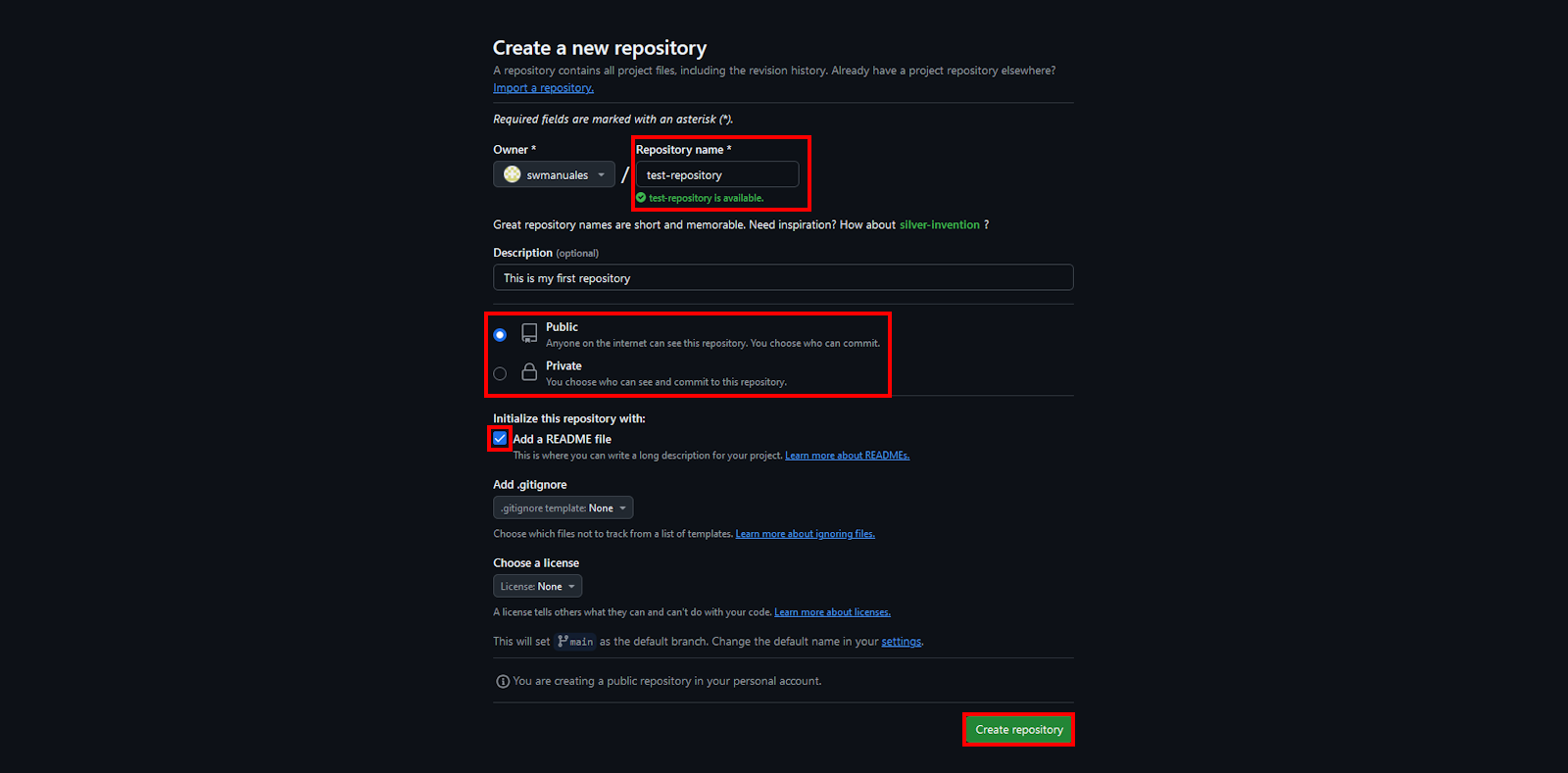
The first step is to create a repository. A repository is the place where you will store all the files related to your project. It can include code, documentation, images and any other necessary files.
Steps to create a repository

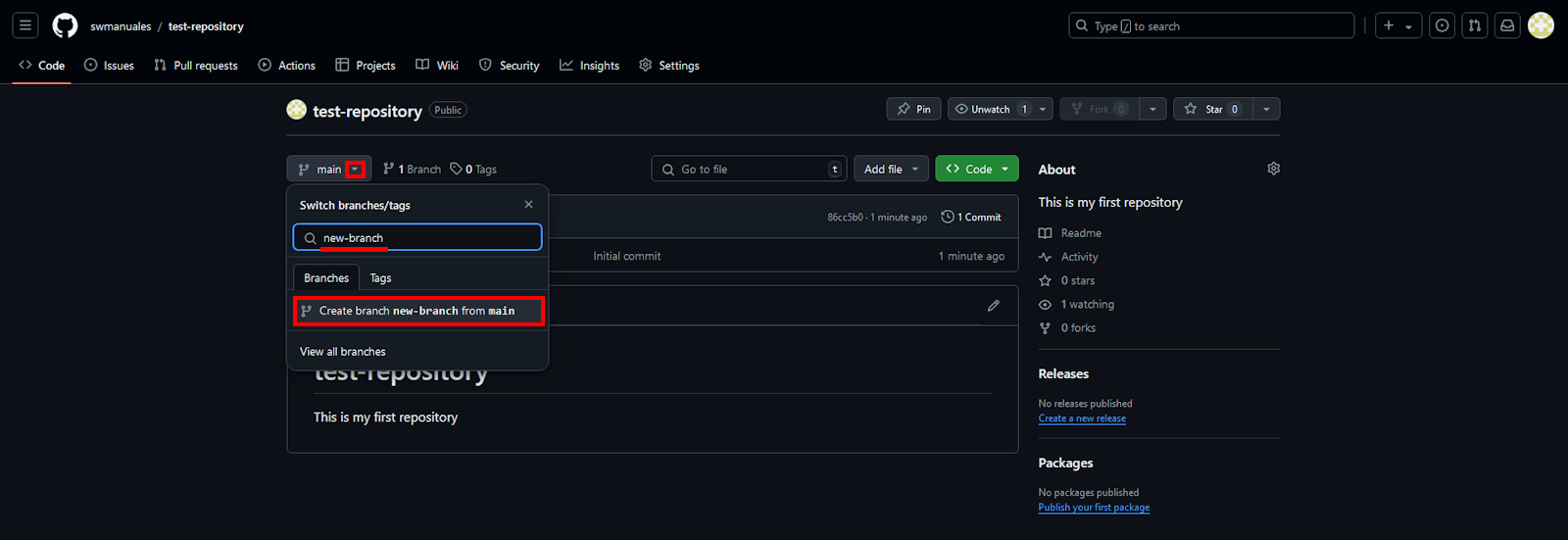
Branches allow you to work on different versions of a project without affecting the main version (called “main” or “master”). You can use a branch to develop new features or fix bugs, and when they are ready, merge them with the main branch.
Steps to create a branch:
A commit is the equivalent of saving changes. Every time you make changes to your code or files, you must commit to record those changes in the branch you are working on.
How to make a commit:
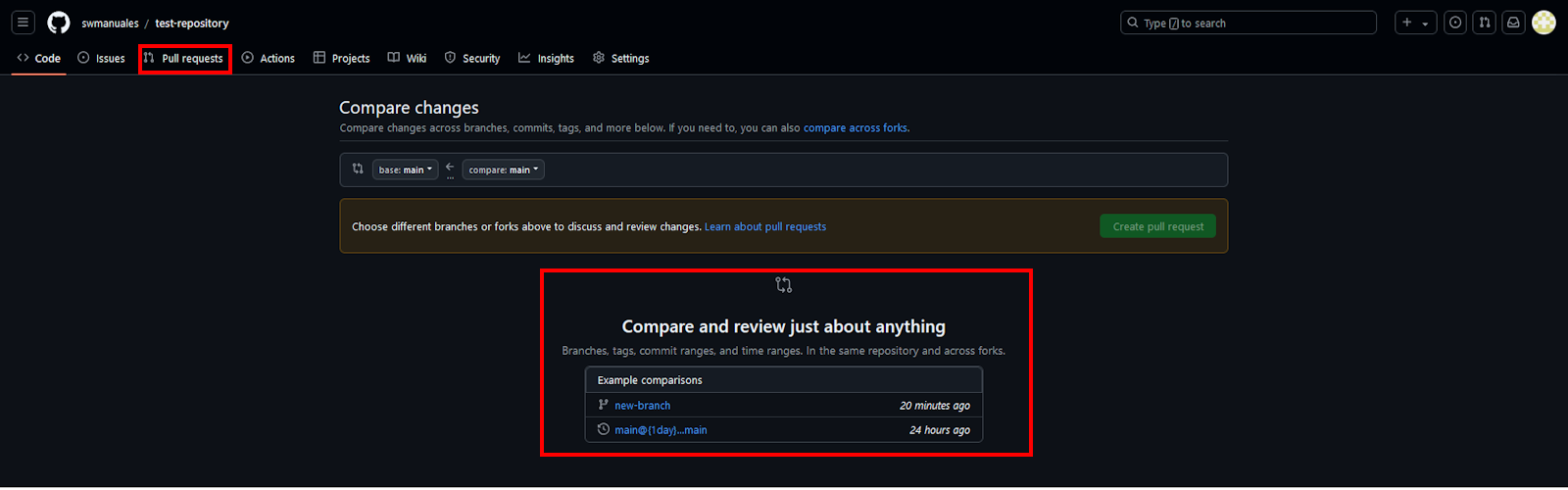
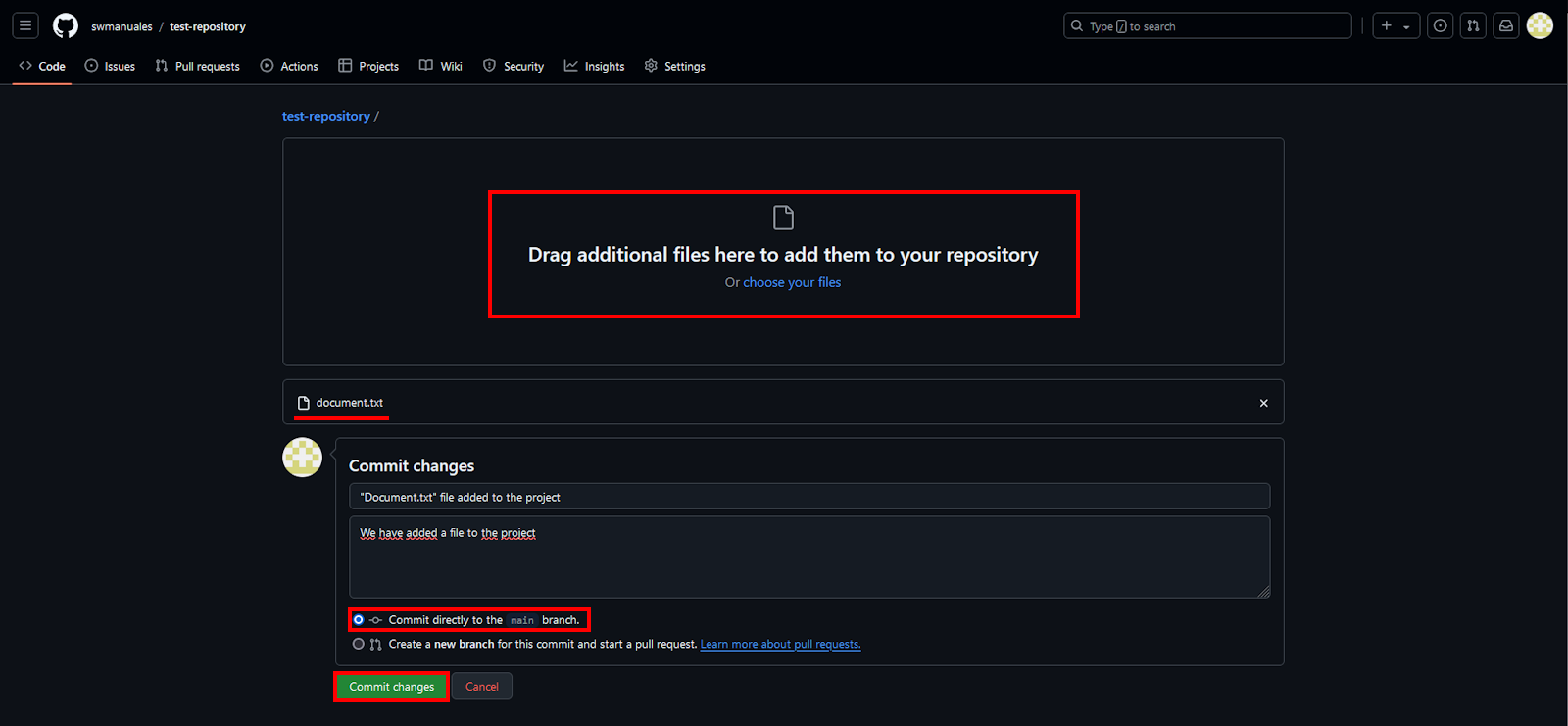
A pull request is a request for your changes to be reviewed and, if approved, integrated into the main branch of the project. This step is fundamental in team collaboration, as it allows other members to review your code before merging it.
Steps to create a pull request:
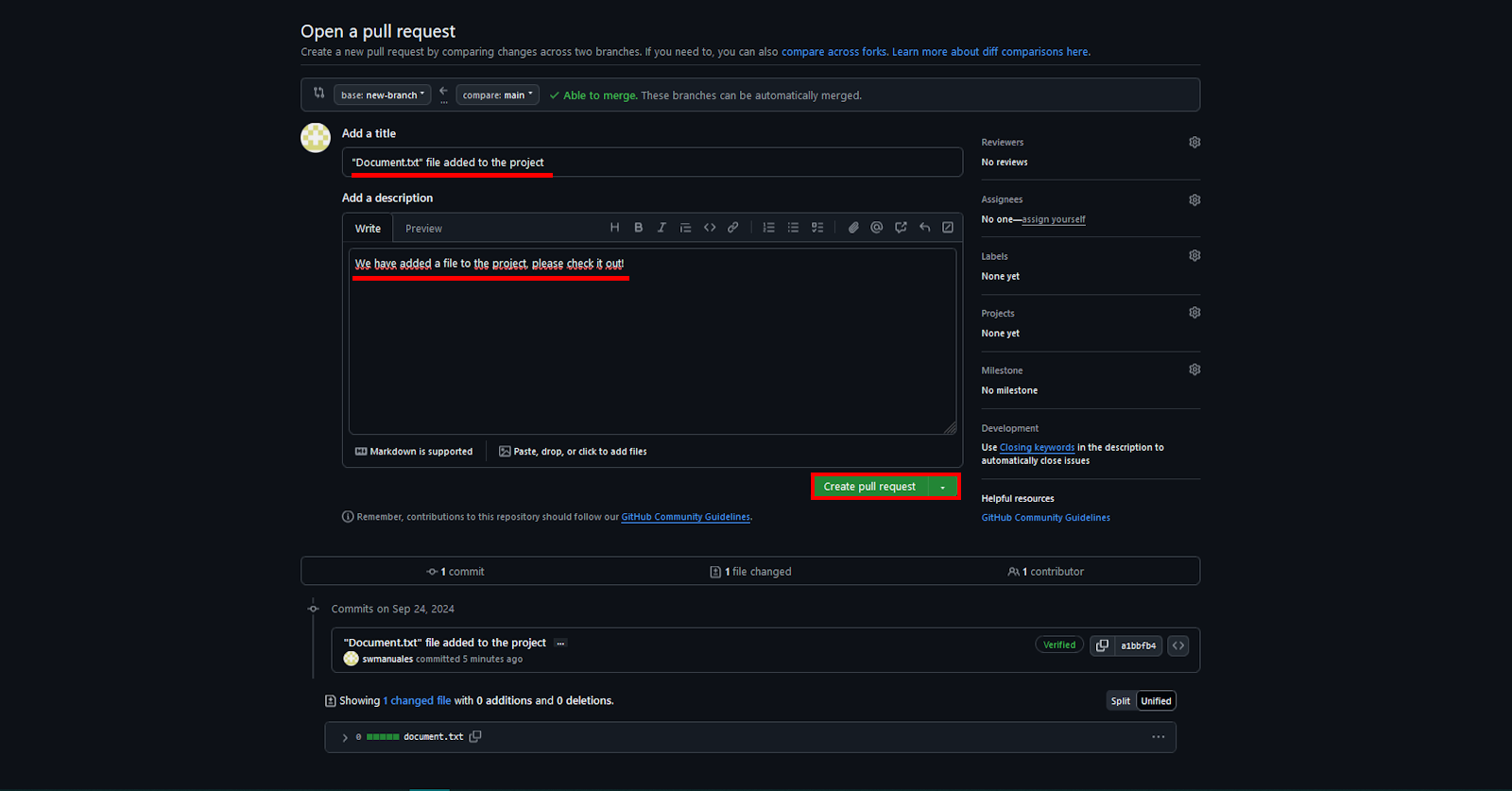
Once the pull request is approved by your teammates, they will be able to merge the changes with the main branch.
Would you like to learn more about how to use GitHub? Check out this complete guide.
In addition to the graphical interface, GitHub can be managed from the command line using Git. This option is preferred by many developers, as it offers more direct control over their projects.
If you are interested in learning how to use Git from the command line, you can refer to our Git Basic Commands Guide, where you will find a list of the most useful commands and how to use them to manage your repositories on GitHub.
GitHub is a versatile and powerful tool essential for development teams and other professionals seeking efficient project management. With its advanced version control and collaboration features, along with SW Hosting support, you can take your projects to the next level by integrating a secure, scalable, and high-performance cloud environment.

Get the most out of your project with the fastest disks and most powerful CPUs in the Cloud.


