To keep a domain at SW Hosting while pointing it to another service provider, it is necessary to change the domain’s DNS name servers (or "hostnames").
To do this, the first step is to access SWPanel. In the blue column located on the left side, go to Domains and SSL > Domain Portfolio:
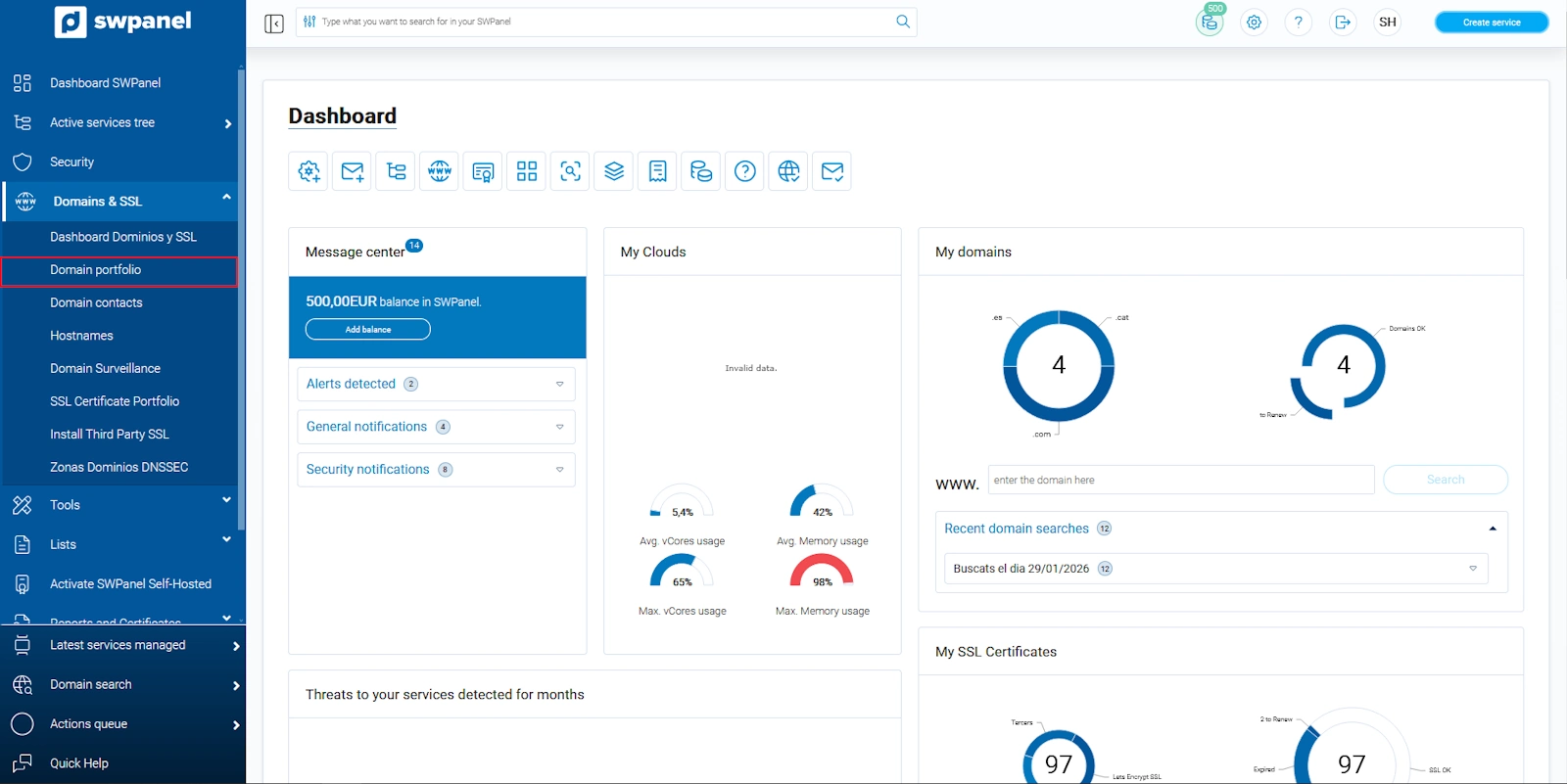
info_capture The screenshot is for illustrative purposes only. It was taken from version 2026.001.0057 dated 17/05/26. It may differ from the current version of SWPanel.
Inside the Domain Portfolio, you will be able to see all the domains you currently have registered. To the right of each domain, you will find the ··· dropdown menu:
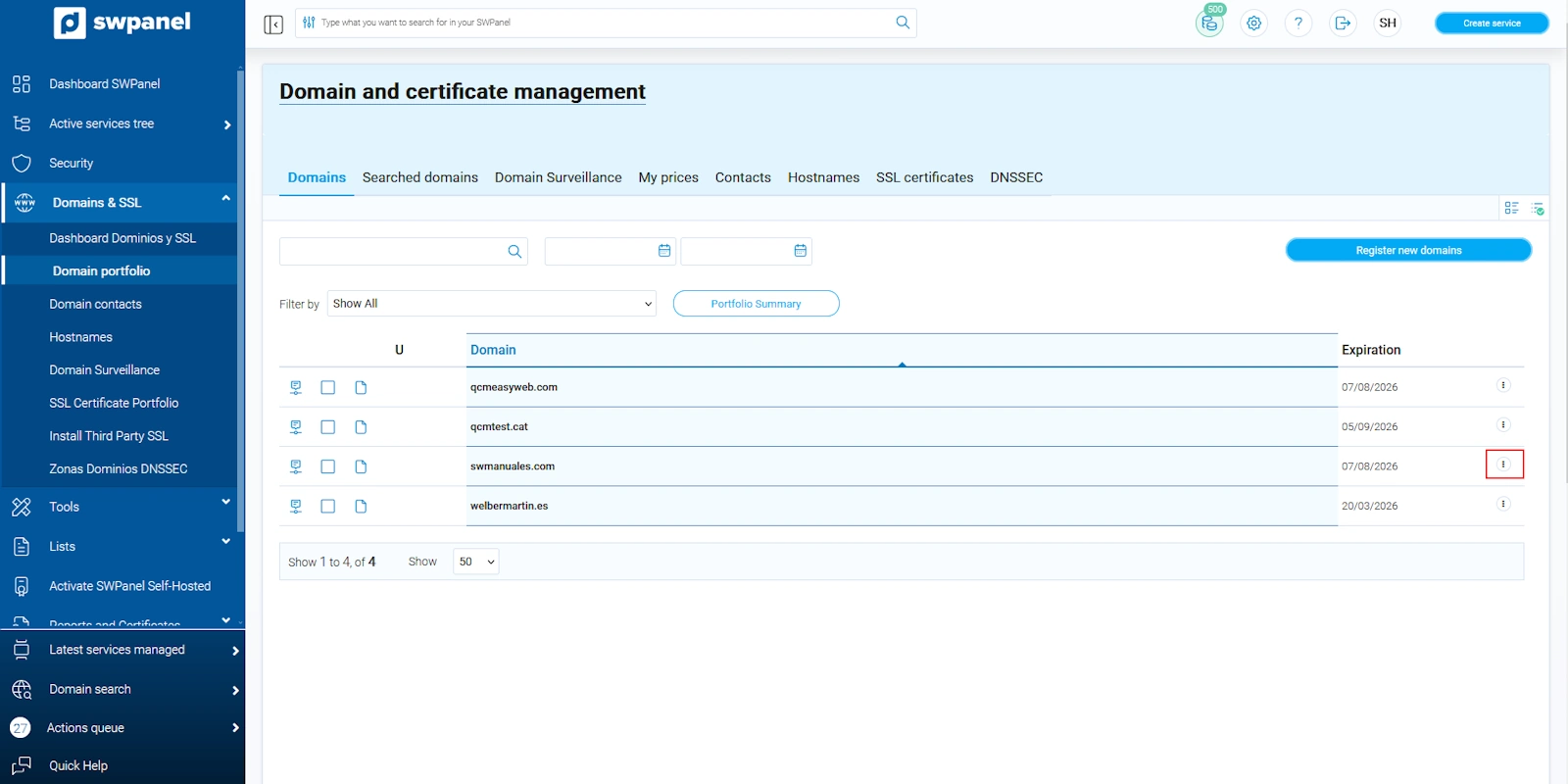
info_capture The screenshot is for illustrative purposes only. It was taken from version 2026.001.0057 dated 17/05/26. It may differ from the current version of SWPanel.
You must place the cursor over the ··· tab and, in the right-hand column under Contacts and Hosts, select DNS Data:
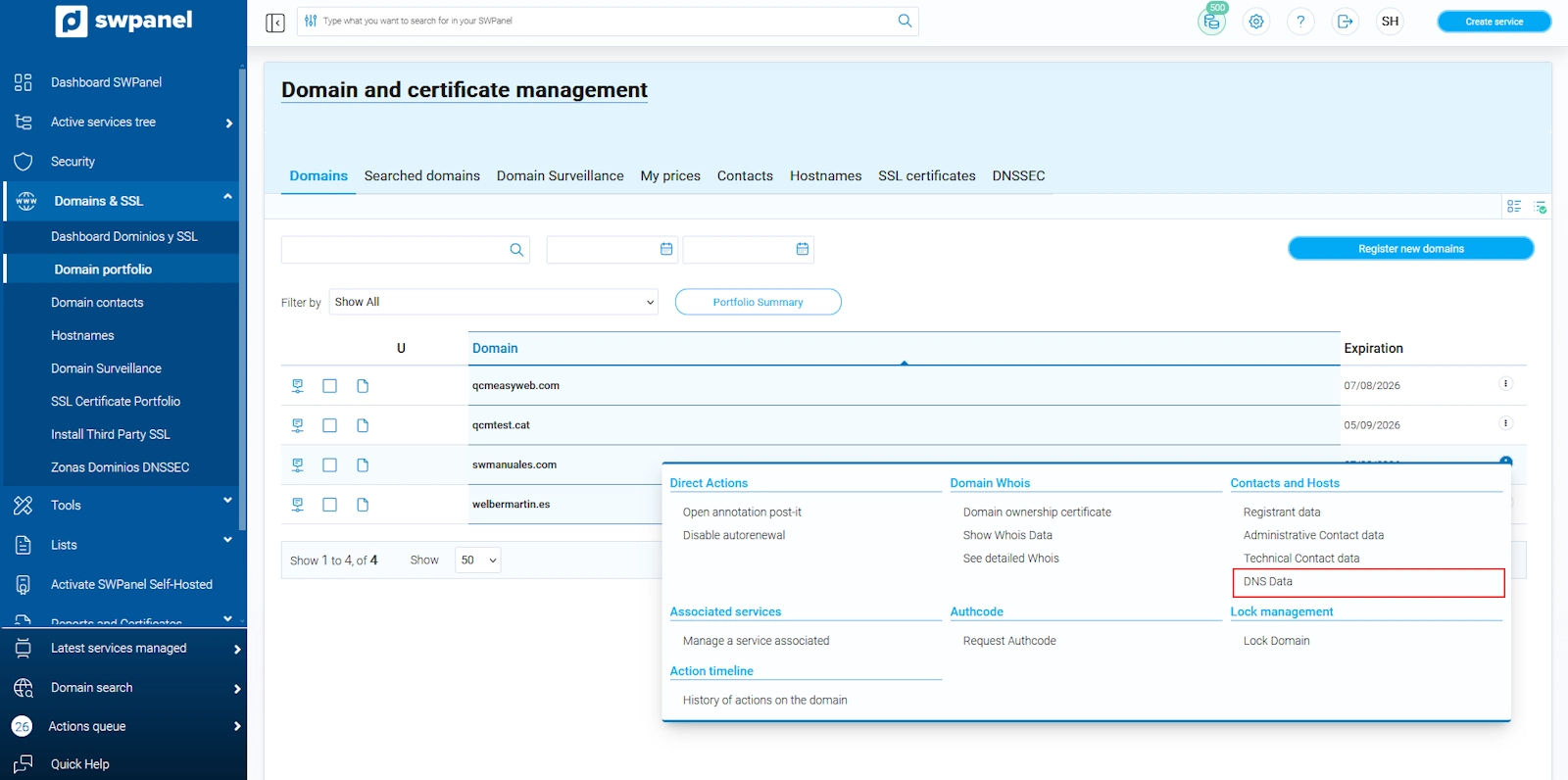
info_capture The screenshot is for illustrative purposes only. It was taken from version 2026.001.0057 dated 17/05/26. It may differ from the current version of SWPanel.
A new tab will open where you will find the DNS name servers assigned to your domain. By default, the DNS servers assigned will belong to SW Hosting. At this point, you can modify them and enter the DNS servers of your other provider and finally click the green DNS Data button:
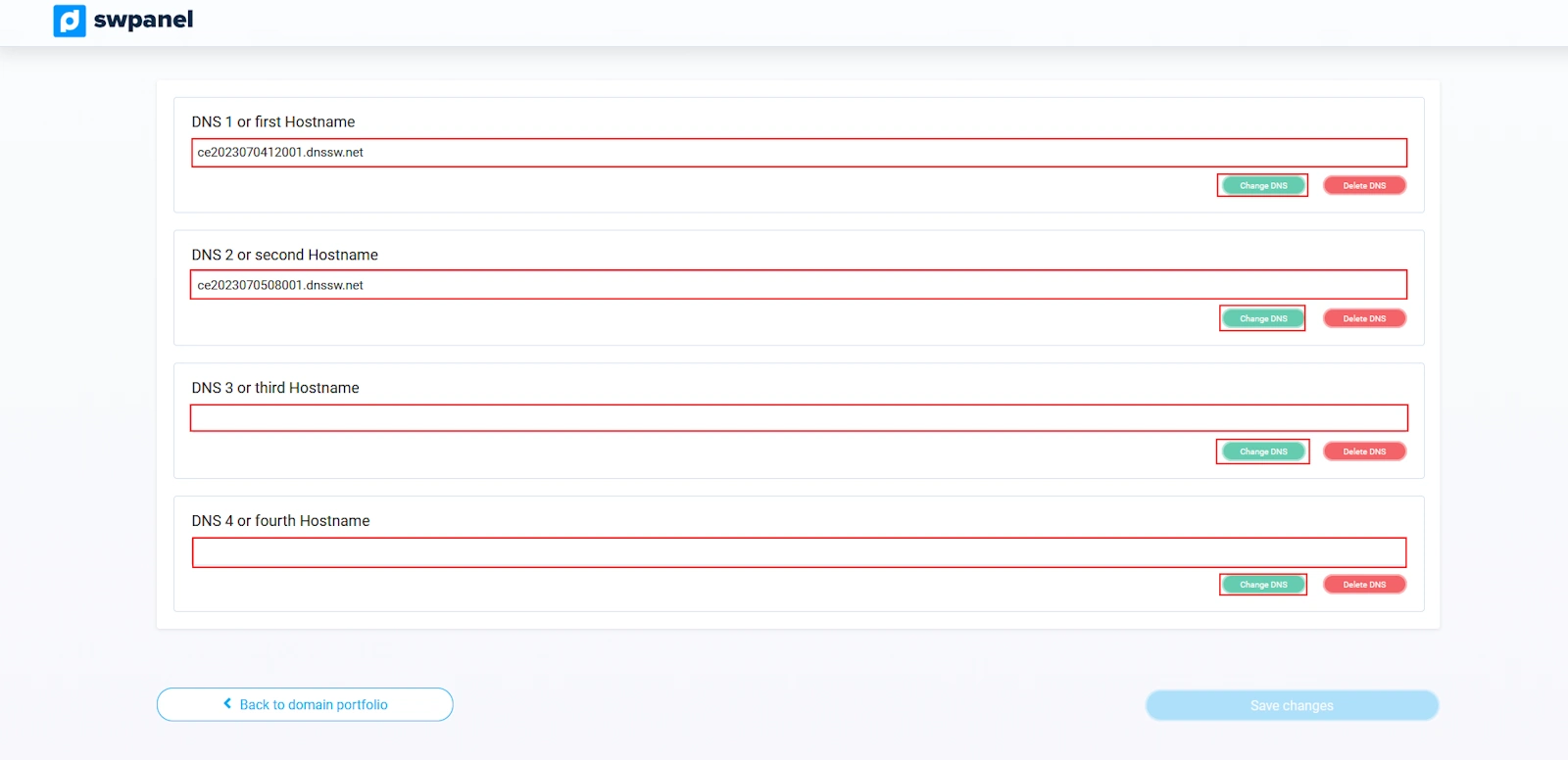
info_capture The screenshot is for illustrative purposes only. It was taken from version 2026.001.0057 dated 17/05/26. It may differ from the current version of SWPanel.
Finally, once you have entered the DNS records of your external provider, you must click the I accept responsibility checkbox and then click the green button to save the changes made.
Please note that this change is not immediate, so it will take some time to propagate. Once the change has been made, the servers of the other provider will be responsible for managing your service.


