In this guide, you will learn step by step, in a simple way, how to create multiple websites within a single hosting plan in SWPanel. No advanced knowledge is required — just follow the instructions, and within a few minutes, you will have a new website up and running.
Before getting started, it is important to understand some key terms so you can follow this guide without any issues:
A website is a collection of interconnected pages published on the Internet. It can be a blog, an online store, a company page, or any other type of information accessible through a web browser such as Google Chrome or Firefox.
Example: If you visit www.example.com, you are accessing a website.
A domain is the unique address used to access a website on the Internet. It is like the address of a house, but on the web.
Example: Google’s domain is www.google.com.
A Multi-Site Hosting Plan is a type of web hosting service that allows you to host multiple websites on the same server. This means that instead of purchasing separate hosting plans for each website, you can manage them all from a single hosting plan.
Example: If you own a business and want one website for your store (www.store.com) and another for your blog (www.storeblog.com), a multi-site hosting plan allows you to host both on the same plan without paying for two separate hosting services.
A Hosting Alias allows an additional domain to point to an existing website without creating a new site. Essentially, it acts as an “extra name” for the same content.
Example: If your main website is www.mystore.com, but you also want users to access it through www.myonlinestore.com, you can configure the latter as an alias.
Before creating a new website, you should verify whether your hosting plan allows it. To check this:
Log in to SWPanel and access your Dashboard.
Click on Create Service.
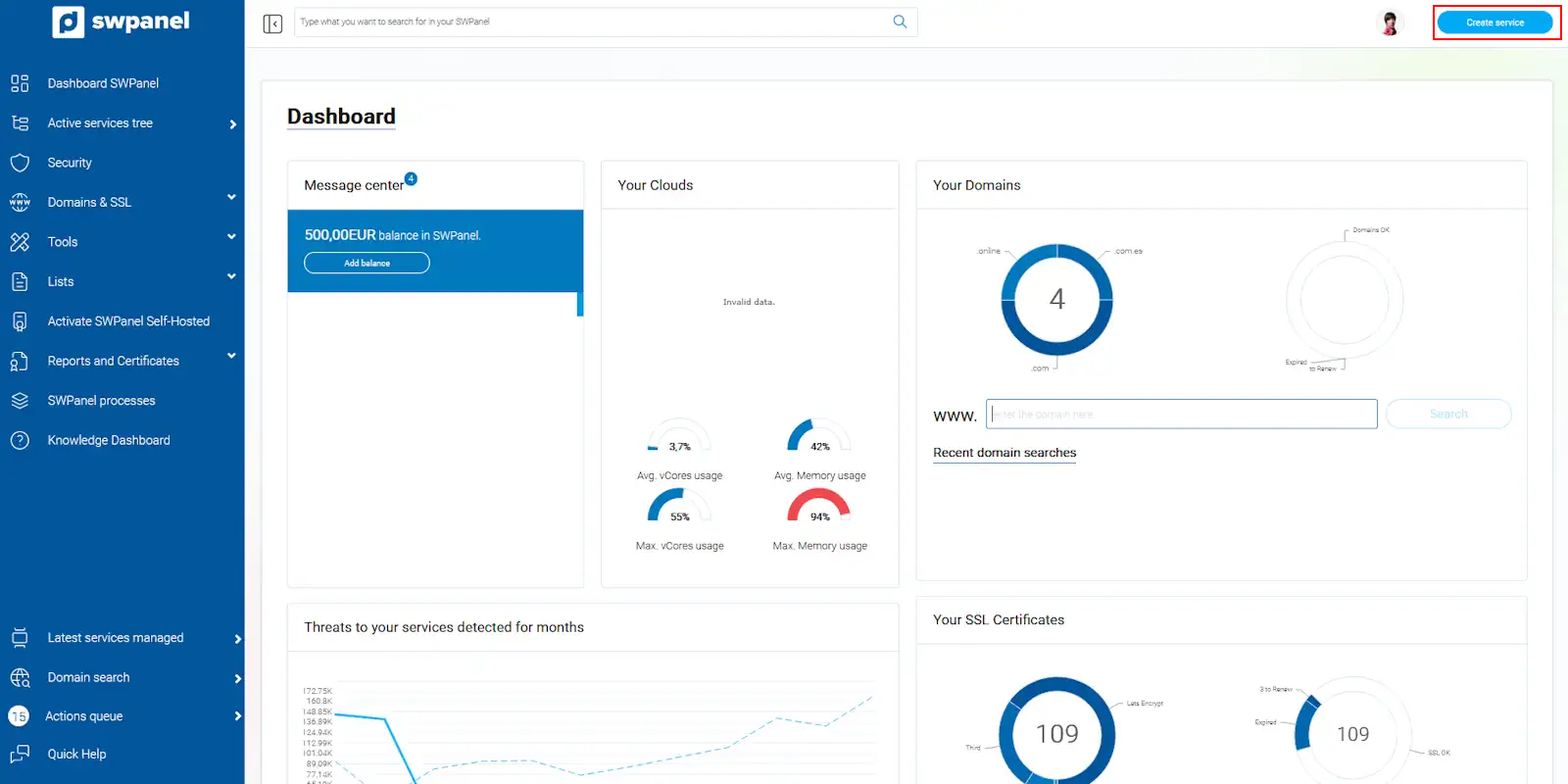
info_capture The screenshot is for reference purposes only. It was taken using version 2026.001.0057 on 05/17/2026 and may differ from the current version of SWPanel.
Select Web Hosting and then Hosting Plan.
You will see a list of available hosting plans. In the Website column, you can see the number of websites your plan allows.
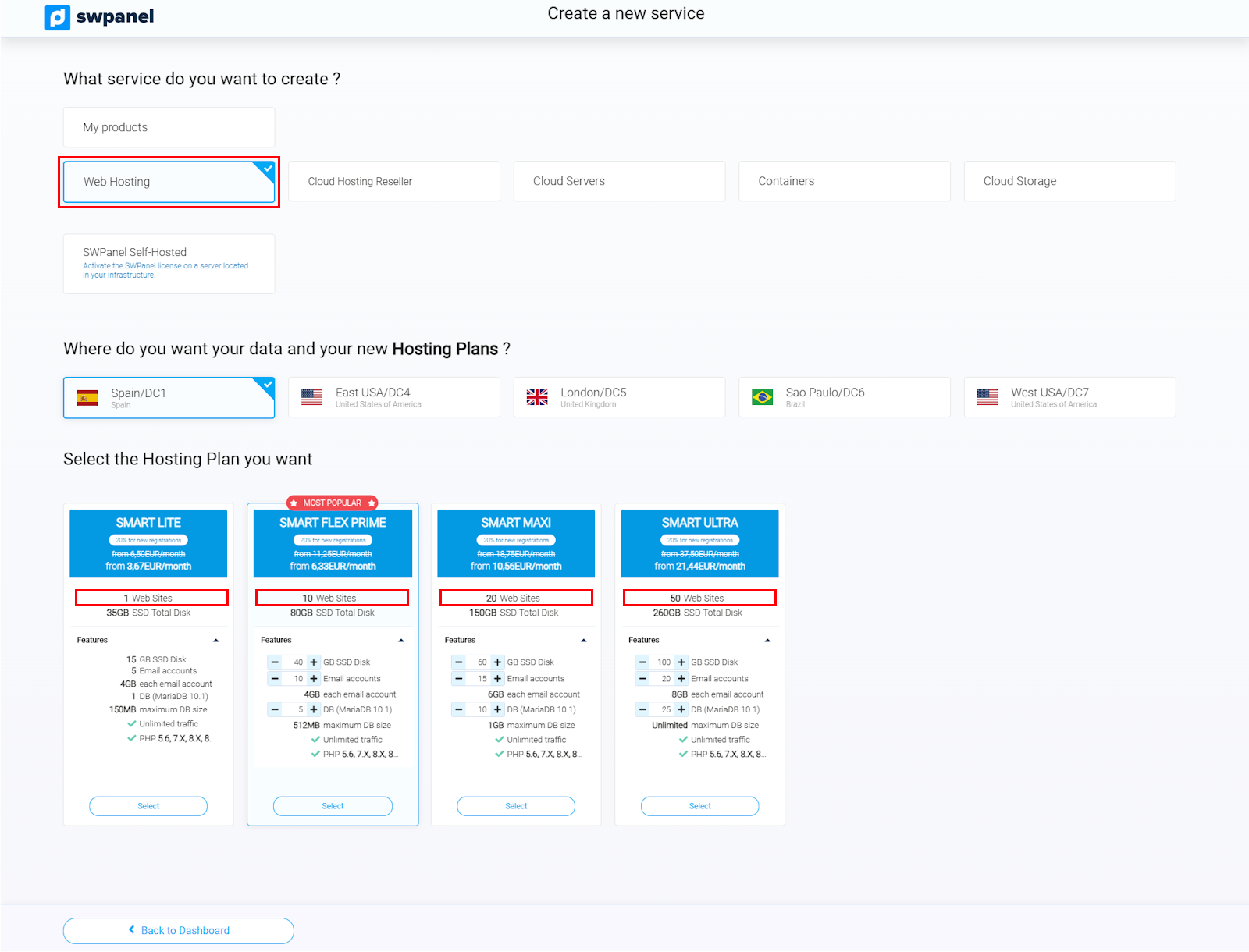
info_capture The screenshot is for reference purposes only. It was taken using version 2026.001.0057 on 05/17/2026 and may differ from the current version of SWPanel.
Example: If your plan indicates “3 websites,” it means you can host up to 3 different websites on the same hosting plan.
If your hosting plan supports more than one website, you can continue with the setup.
Find your hosting service in SWPanel:
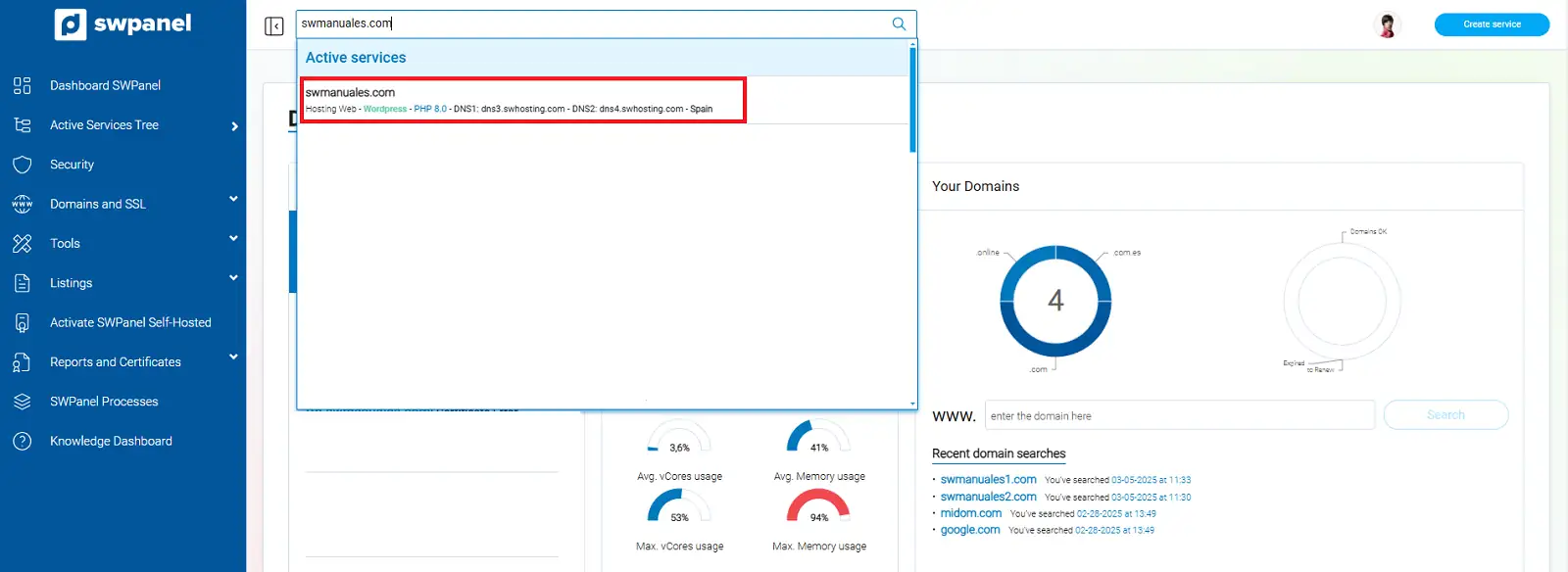
info_capture The screenshot is for reference purposes only. It was taken using version 2026.001.0057 on 05/17/2026 and may differ from the current version of SWPanel.
Click on “Create a New Website” at the top of the panel.
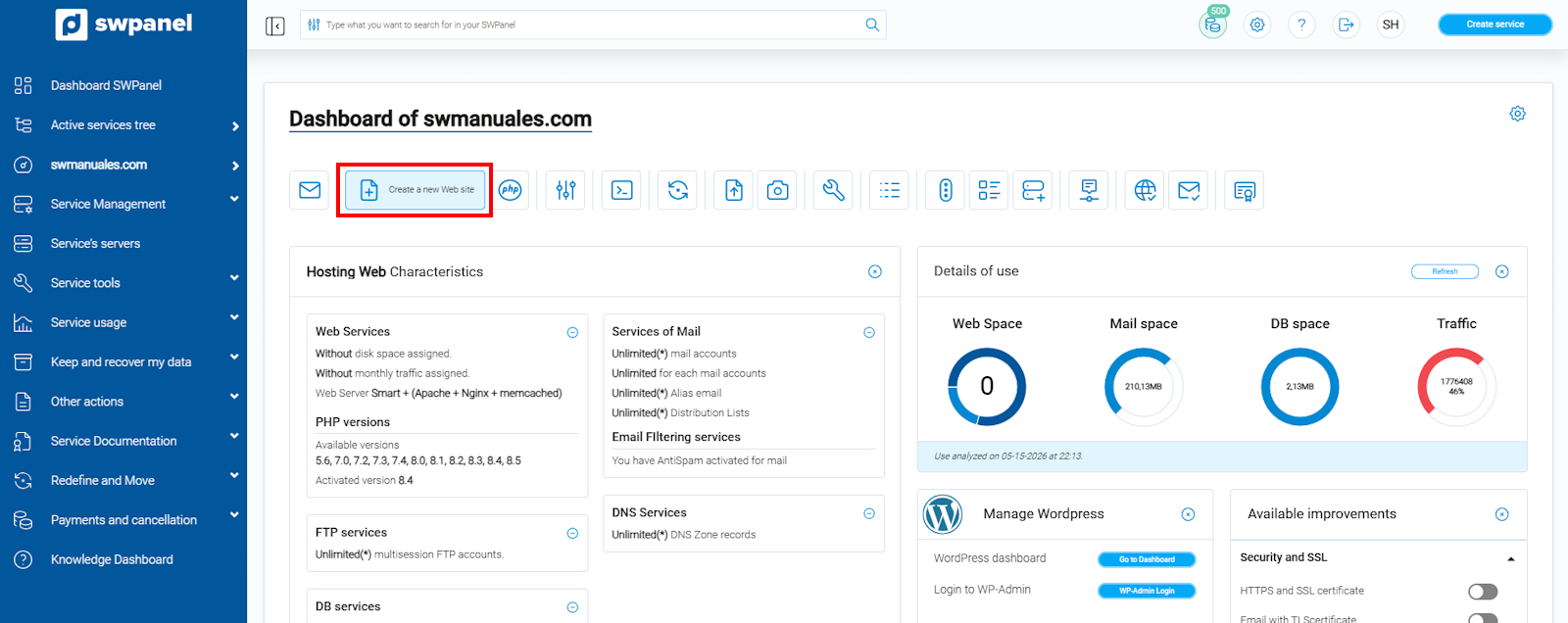
info_capture The screenshot is for reference purposes only. It was taken using version 2026.001.0057 on 05/17/2026 and may differ from the current version of SWPanel.
Choose the type of website you want to create:
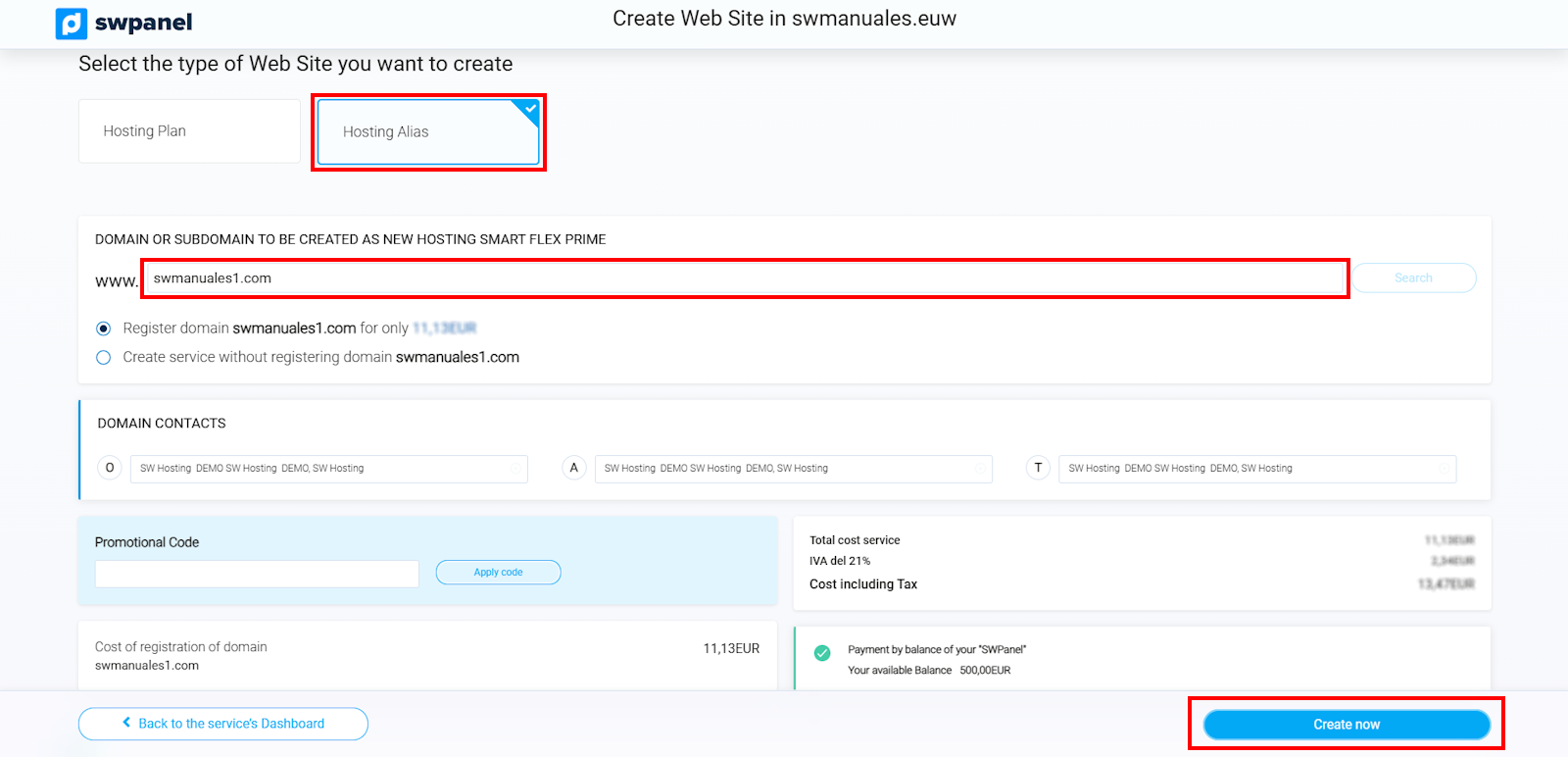
info_capture The screenshot is for reference purposes only. It was taken using version 2026.001.0057 on 05/17/2026 and may differ from the current version of SWPanel.
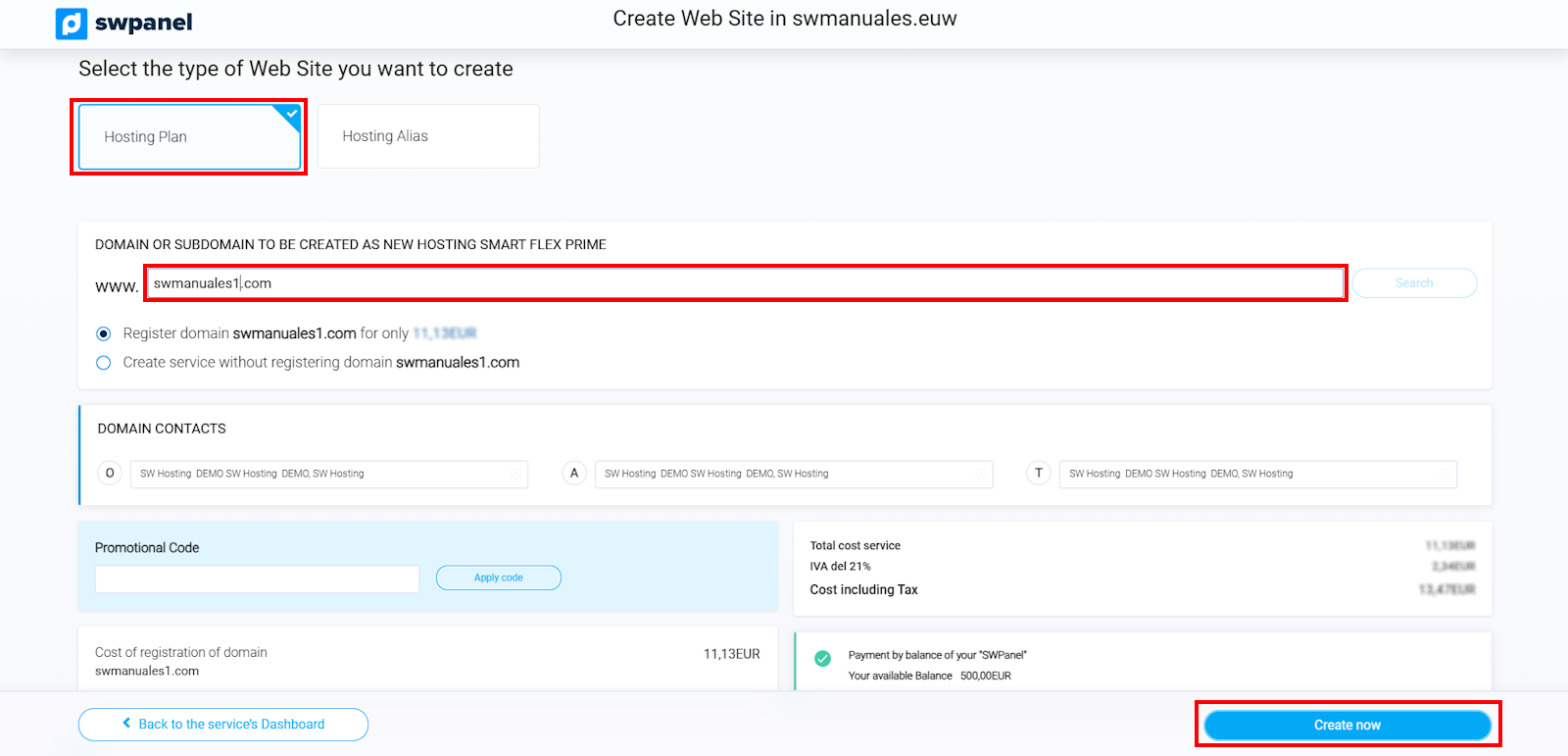
info_capture The screenshot is for reference purposes only. It was taken using version 2026.001.0057 on 05/17/2026 and may differ from the current version of SWPanel.
You now know how to easily and quickly add multiple websites to the same hosting plan.
If you have any questions, please contact SWPanel technical support. We are here to help!
| Term | Definition |
|---|---|
| Website | A collection of interconnected pages accessible on the Internet. |
| Domain | A unique address used to access a website. |
| Multi-Site Hosting Plan | A service that allows multiple websites to be hosted on the same server. |
| Hosting Alias | An additional domain that points to an existing website. |


